Stream From Seedbox With VLC

In this tutorial I will show you, how to stream from Seedbox to VLC.
Step 1. Open the mail ” Your seedbox is ready” mailed by us and click on the link highlighted in the below image.
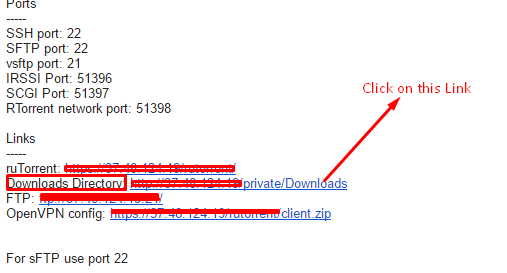
Step 2. If required, log in to that page or if you are already logged in, it will show the contents of your downloads/manual folder on your browser.

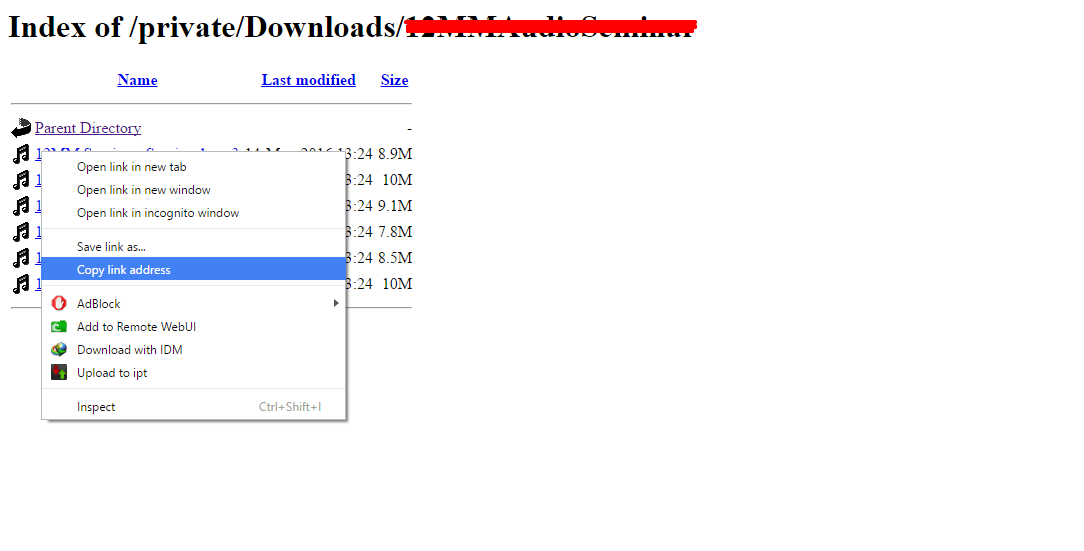
Step 3. Browse to the file you want to play/stream on your VLC, right click on it and copy the link to it as shown in the image below.
Step 4. Fire up your VLC, click on media and then select stream.

Step 5. Select Network on the stream option, paste your link and select “dropdown” from the stream button and select “play”.

Step 6. Select “View cert” in the dialogue that opens up after you select “play”. This is only required to be done once.

Step 6. Accept it permanently so that you don’t have to keep selecting it again.

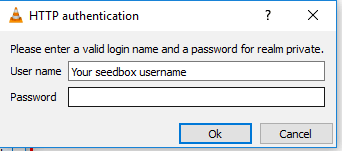
Step 7. Fill in your username and password.
That’s it! Now your file will be streaming on VLC directly from your Seedbox.