
In this Tutorial we will discuss about how to remove a torrent from rutorrent seedbox.
Rutorrent web gui client generally provides two options for removing torrents from the sytem.
 If you have deleted a torrent with just remove and want to delete its associated files as well , you cna do so with filemanager in rutorrent web client.
Step 1. Click on the filemanager tab:
If you have deleted a torrent with just remove and want to delete its associated files as well , you cna do so with filemanager in rutorrent web client.
Step 1. Click on the filemanager tab:
 Step 2. Within file manager folder stucture browse to the location where your data files are stored, here in this case it is downloads/manual.
 Step 3. Right cick on the files/folders and select dete execute it and it will be deleted from your seedbox HDD.
 After you select delete rutorrent will open up a dialogue and you have to select start, rutorrent will perform the deletion. Also remember don’t remove data files directly without remove the torrent first becasue in that case it will keep redownloading itself.
I hope this tutorial is helpful, If you need more help or have some question post it on the comments section below.
After you select delete rutorrent will open up a dialogue and you have to select start, rutorrent will perform the deletion. Also remember don’t remove data files directly without remove the torrent first becasue in that case it will keep redownloading itself.
I hope this tutorial is helpful, If you need more help or have some question post it on the comments section below.
- It allows you to remove just the tracker file from the system , so it wont be running in the rutorrent client anore but all data can be accessible through your filemanager or FTP so it mean no data is dleted in this case.
- It allows you to remove the tracker file as well as remove the data file of the torrent as well.
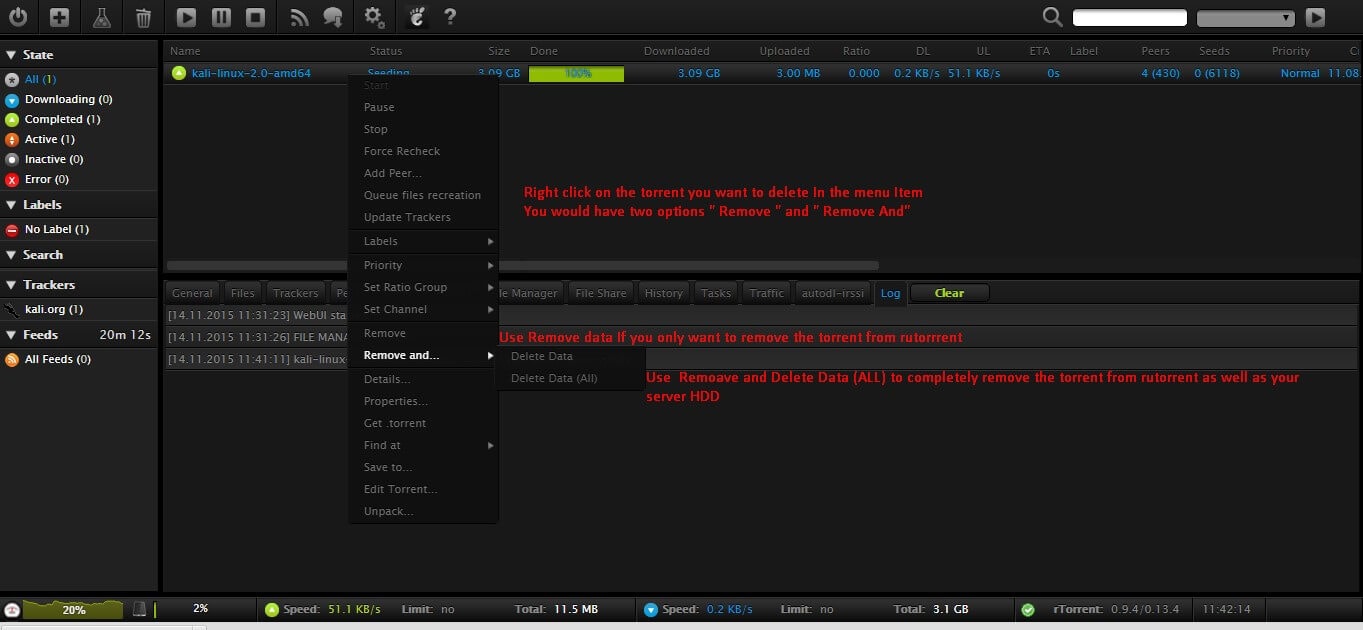 If you have deleted a torrent with just remove and want to delete its associated files as well , you cna do so with filemanager in rutorrent web client.
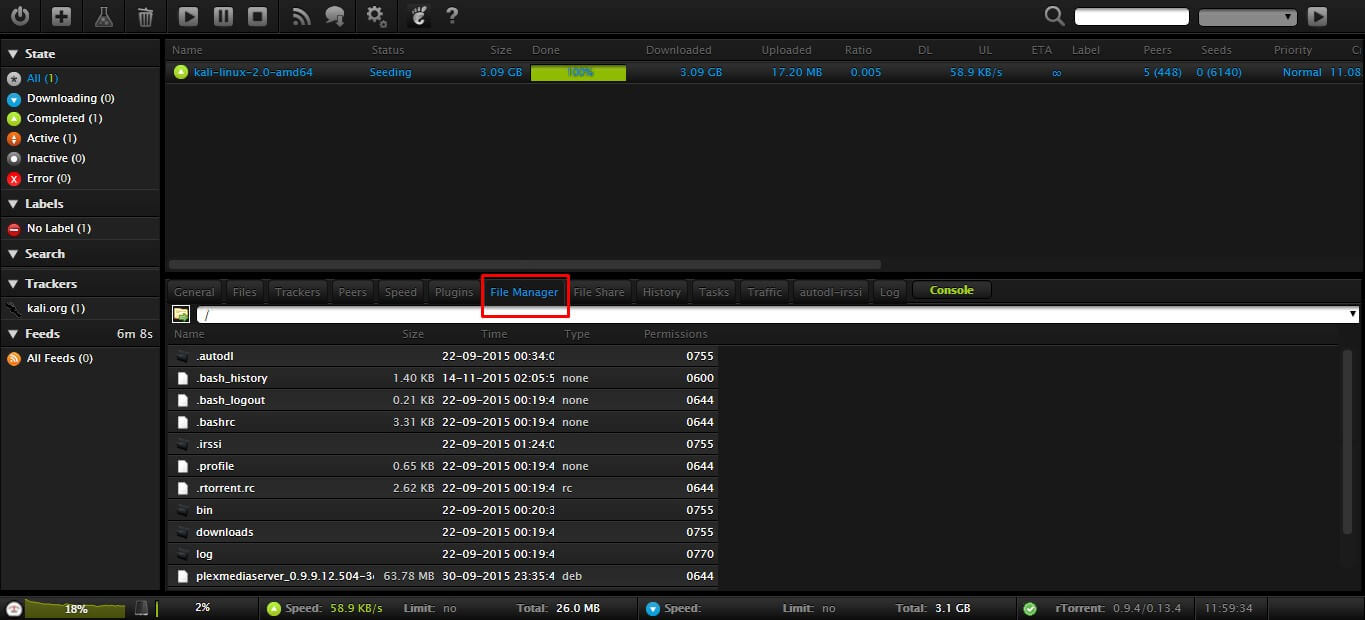
Step 1. Click on the filemanager tab:
If you have deleted a torrent with just remove and want to delete its associated files as well , you cna do so with filemanager in rutorrent web client.
Step 1. Click on the filemanager tab:
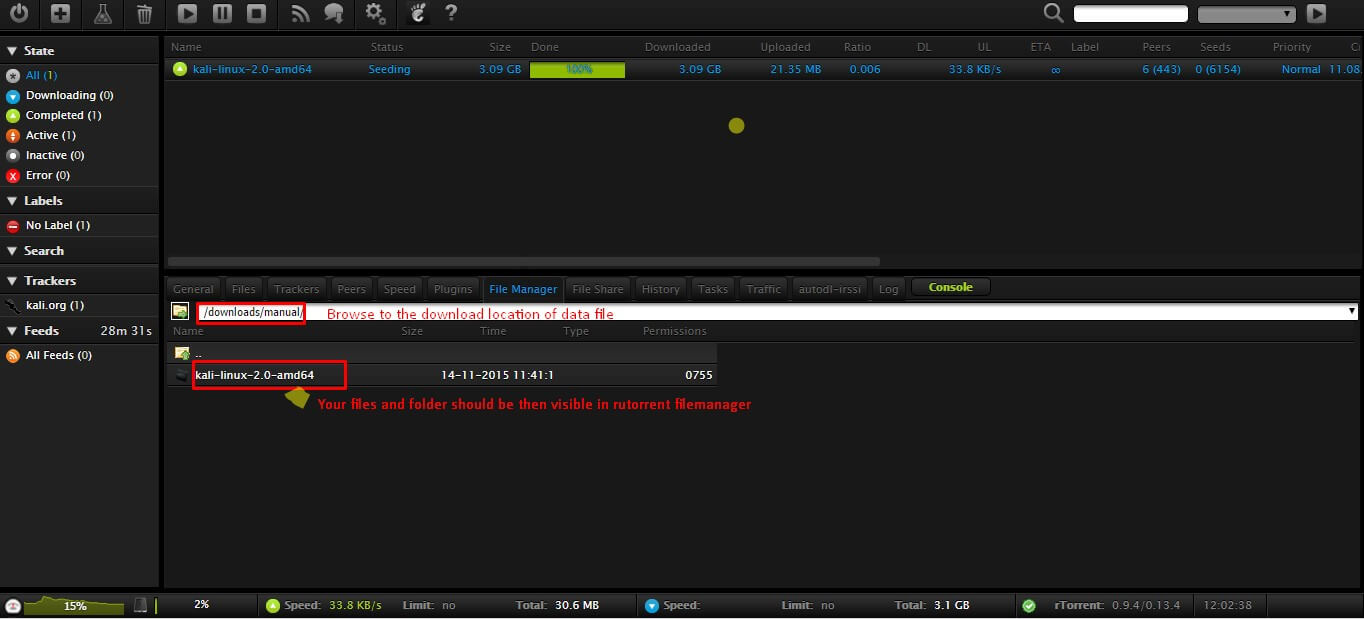
 Step 2. Within file manager folder stucture browse to the location where your data files are stored, here in this case it is downloads/manual.
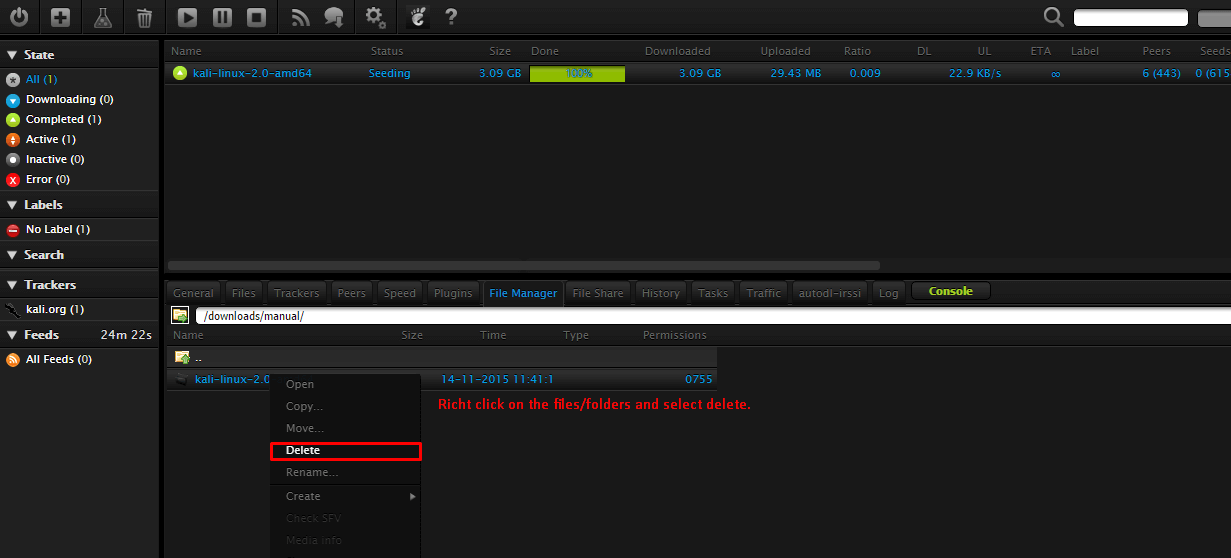
 Step 3. Right cick on the files/folders and select dete execute it and it will be deleted from your seedbox HDD.
 After you select delete rutorrent will open up a dialogue and you have to select start, rutorrent will perform the deletion. Also remember don’t remove data files directly without remove the torrent first becasue in that case it will keep redownloading itself.
I hope this tutorial is helpful, If you need more help or have some question post it on the comments section below.
After you select delete rutorrent will open up a dialogue and you have to select start, rutorrent will perform the deletion. Also remember don’t remove data files directly without remove the torrent first becasue in that case it will keep redownloading itself.
I hope this tutorial is helpful, If you need more help or have some question post it on the comments section below.
Notes from readers